

How to Check If Your Texas Bar Practice Digital Download is Up to Date
There are two main ways to check if your Texas Bar Practice digital download is up-to-date. Both methods are outlined below.
As a side note, online subscriptions are updated automatically in the background, so you don't need to do anything to update them. Print editions receive physical versions of the updates in the mail. If you haven't received your print update, contact us here.
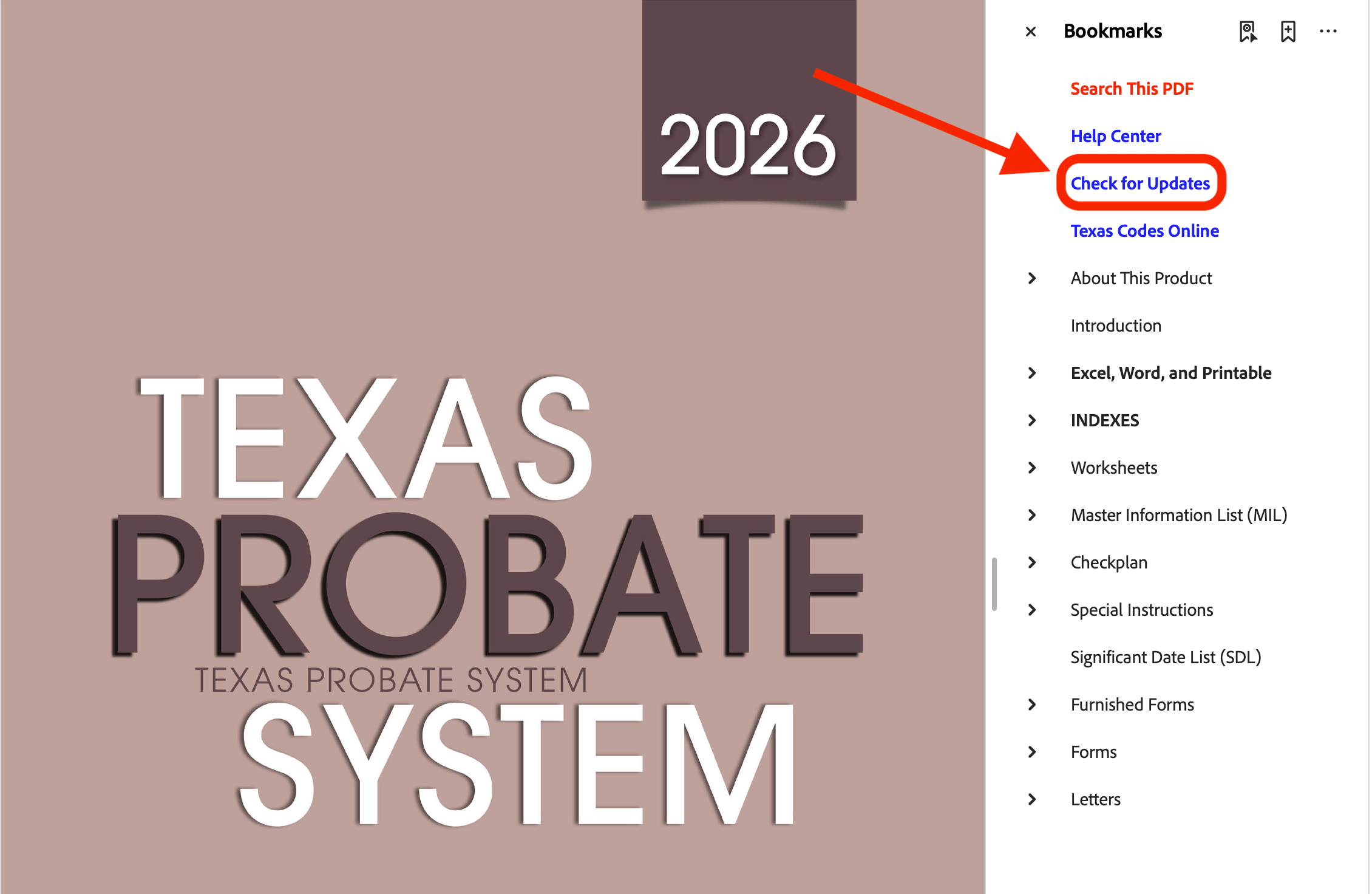
Method #1) "Check for Updates" Link on the PDF
Download and open the PDF of your publication. Go to the bookmarks sidebar and click on the "Check for Updates" link. This will take you to the "Updates" page on the Texas Bar Practice blog. If there's a new update for your publication, you will see a recent post with instructions on how to update it.
Method #2) "How to Download" Link on the PDF
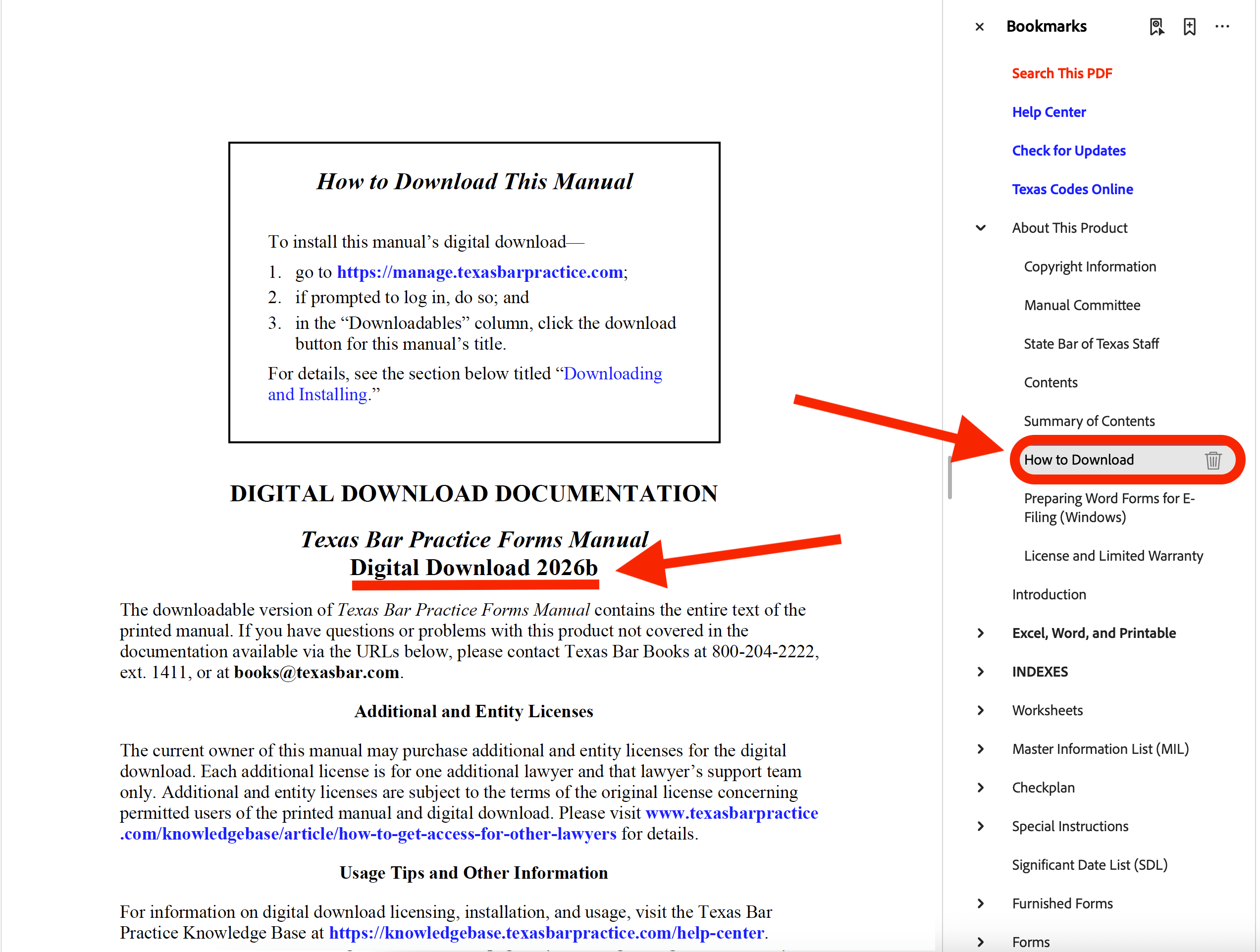
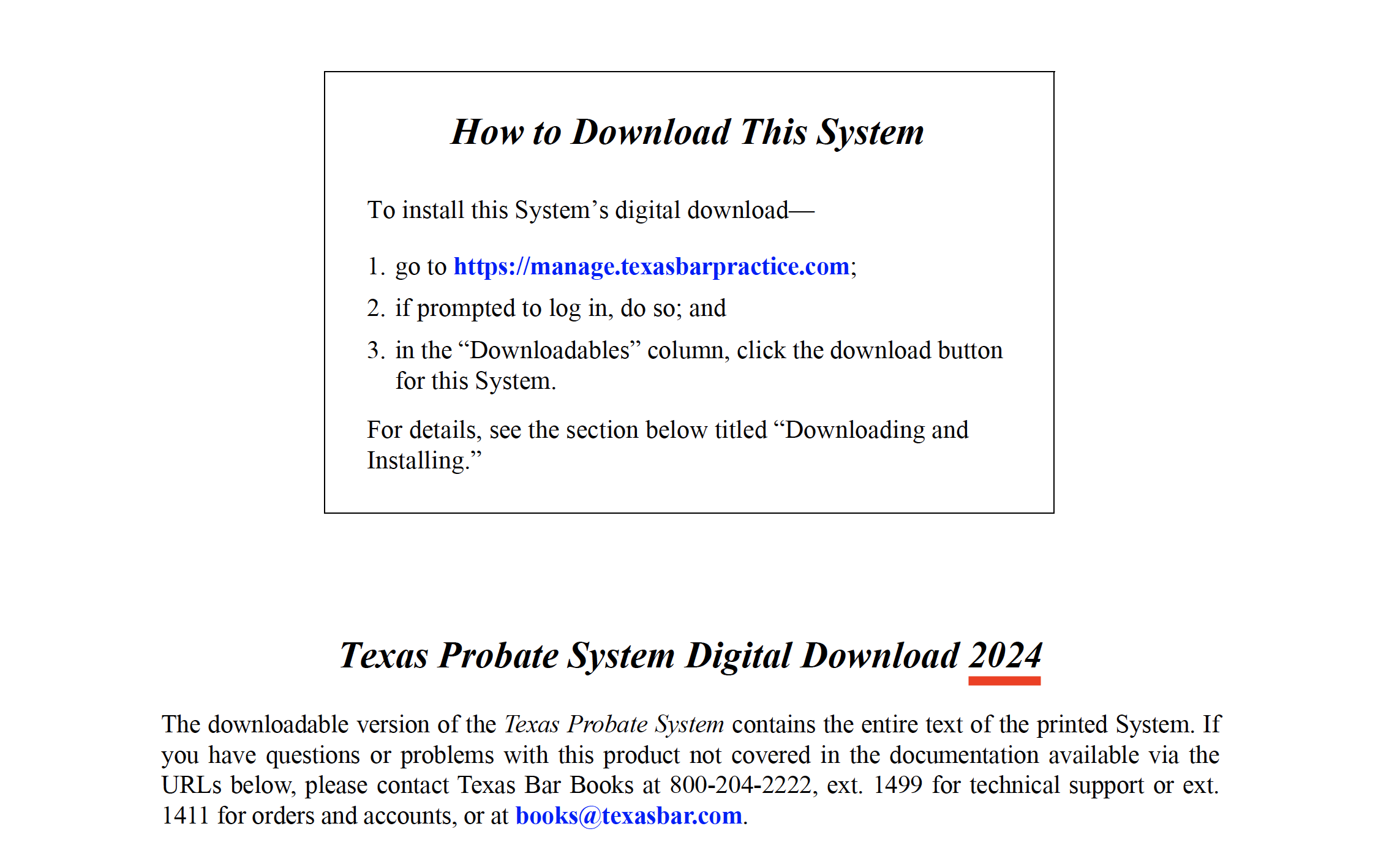
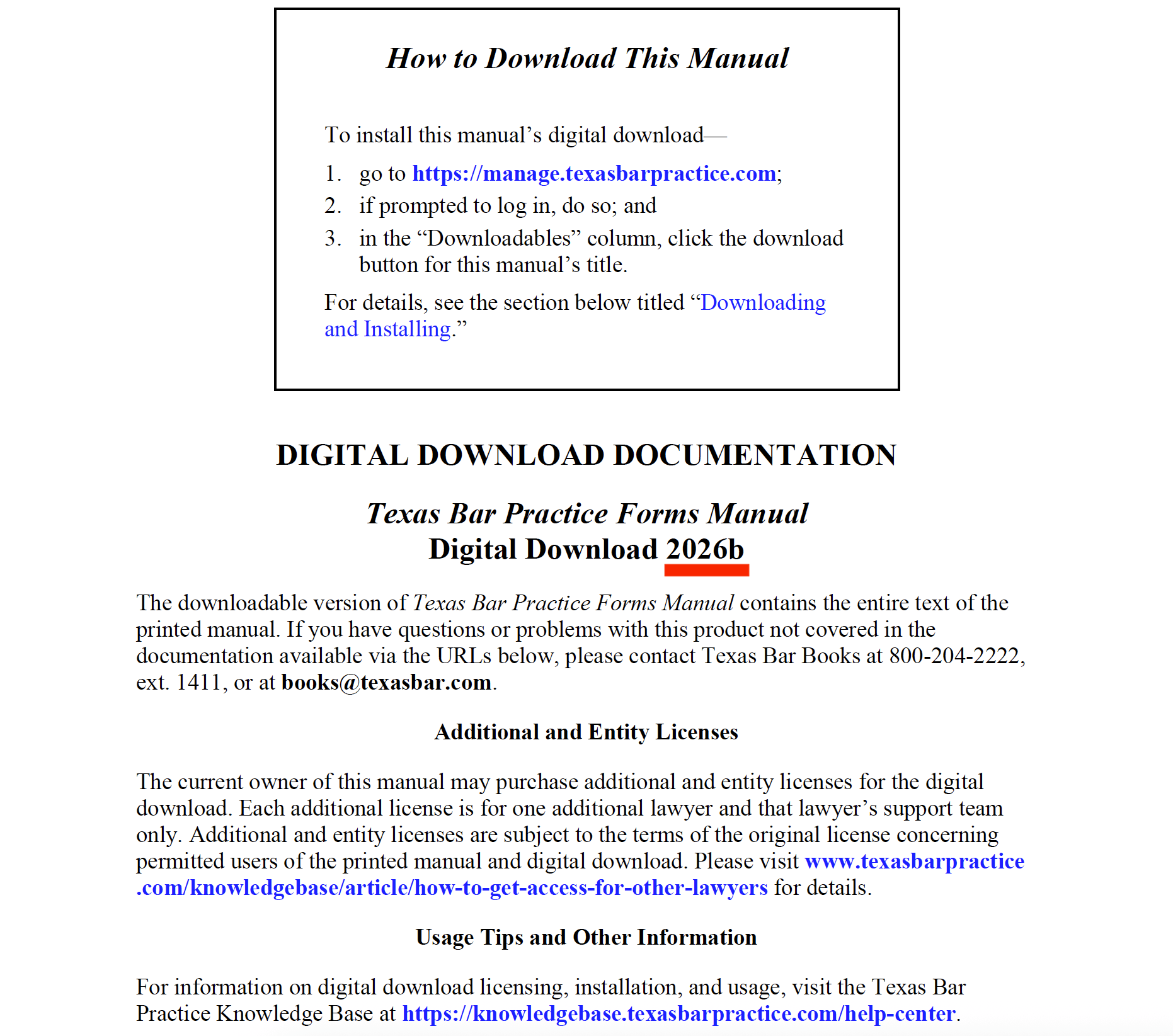
Open the PDF of the publication and expand "About This Product" in the Bookmarks sidebar. This will open a list of options. Scroll down and click on the link titled "How to Download This [System/Publication/Etc.]" This will take you to a page detailing how to download your publication. There, you will see the title of the publication. If the title doesn't match the title in the "Updates" page, then you have an outdated version of the publication.
For example, you may see "Texas Probate System Digital Download 2024" instead of " Texas Probate System Digital Download 2024b."
If the title doesn't match, you can go to your Texas Bar Practice account to redownload the title. Once you download the new version, please dispose of the outdated version by sending it to your computer's trash can or recycling bin.
Open the new download and check the "How to Download" page again to make sure it shows the up-to-date title.
How to Tell if Your Download is Up-to-Date
The updated title could include a letter like b, c, or d next to the year to denote version.
Outdated Download
 Up-to-Date Download
If You Require Further Assistance, Contact Texas Bar Practice
Ensuring you have the most up-to-date publications is crucial so you can practice well. If you come across any issues while downloading your updated publication, don't hesitate to reach out to our Sales Desk for further assistance. Contact us through email at books@texasbar.com or by phone at (512) 427-1411.



 LPM Help Center
 Online Subscriptions
 Texas Bar Books